
Features
Everything you need to analyse and design a structure
One program, one plan: 3D modelling, a full finite-element engine, every common analysis, design to the US codes, generated loads, import and export, and reports. Every feature below is included in the free 30-day trial.
Modelling
Build the model the way you think about the structure
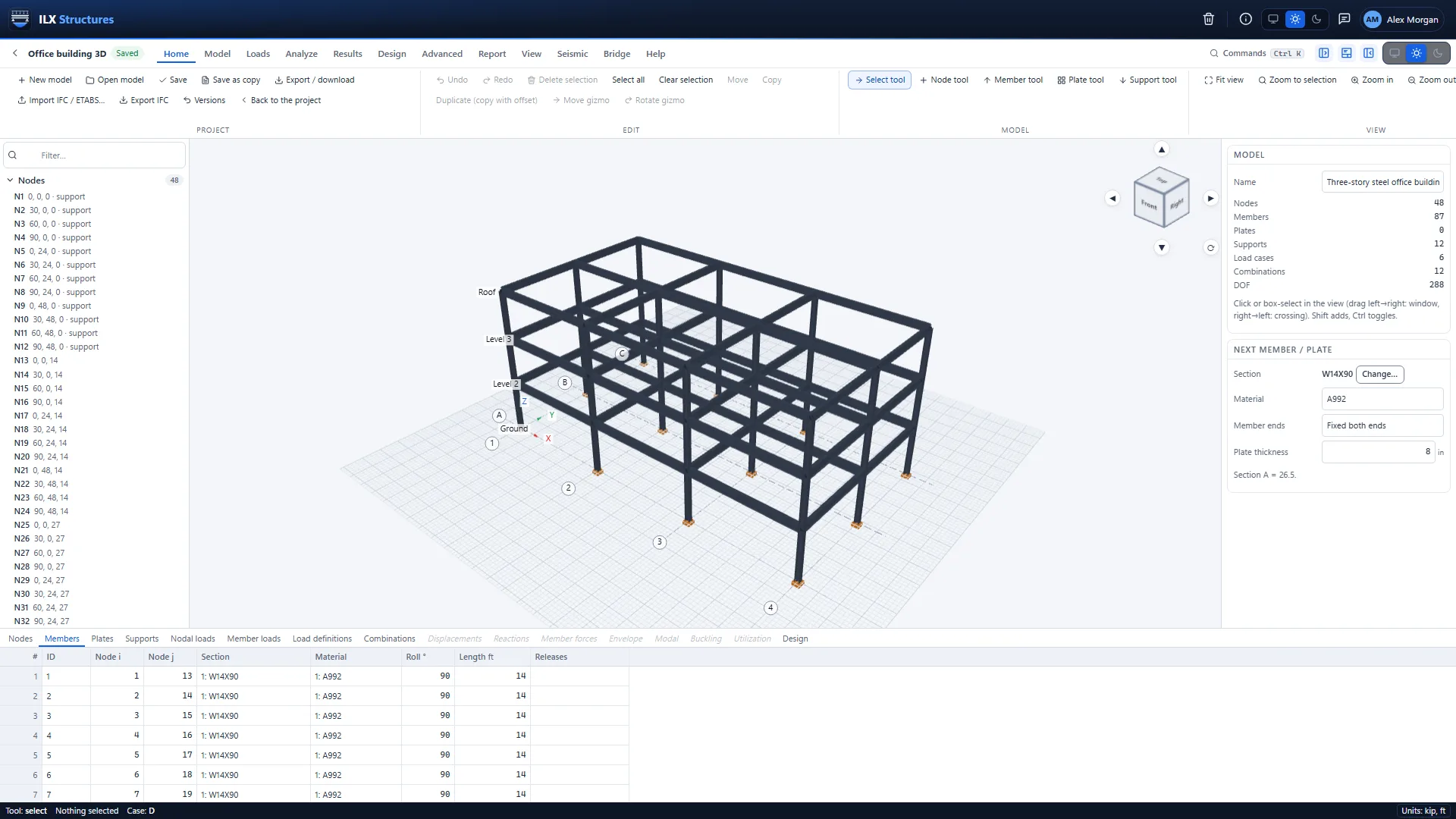
Start from grids and story levels, draw the frame, and refine it with the details a real building needs.
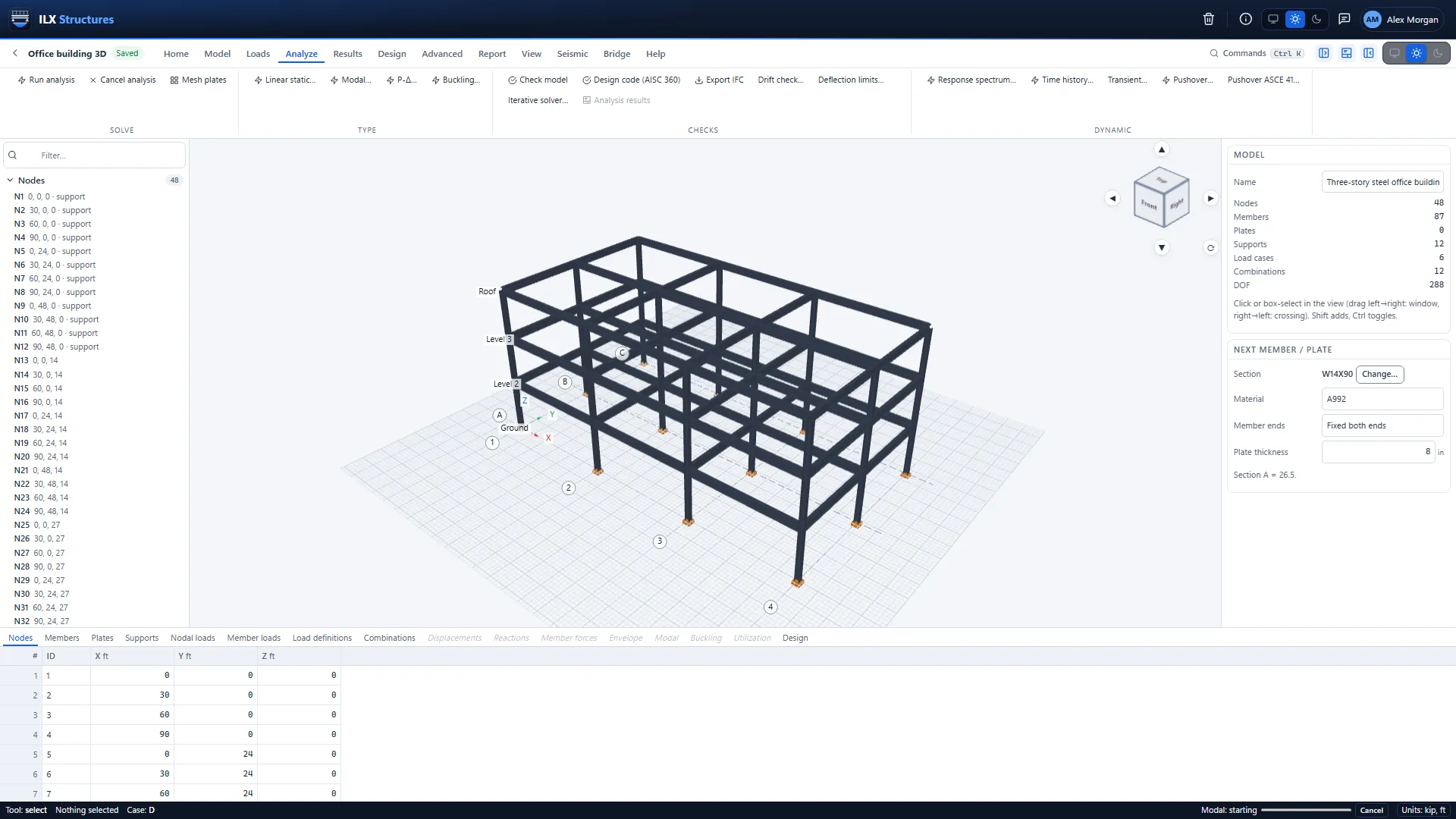
- Nodes, members and plates. Draw in the 3D view or type coordinates; copy, mirror, move and divide; undo every step.
- Grids and levels. Grid lines and story levels to draw on, with snapping.
- Supports and springs. Fixed, pinned, rollers, any combination of restrained directions, springs, settlements and soil (Winkler) springs.
- Member releases and offsets. End releases of any direction, rigid end offsets at joints.
- Rigid links and diaphragms. Exact rigid links between nodes and rigid floor diaphragms per level.
- Sections and materials. The full AISC shape database, built-up and custom sections, steel, concrete, wood and masonry materials.
- Generators. Space frames, trusses and node grids from a few numbers.
- Model check. Instabilities, loose nodes and mechanisms found before you run.
Finite elements
A full finite-element engine underneath
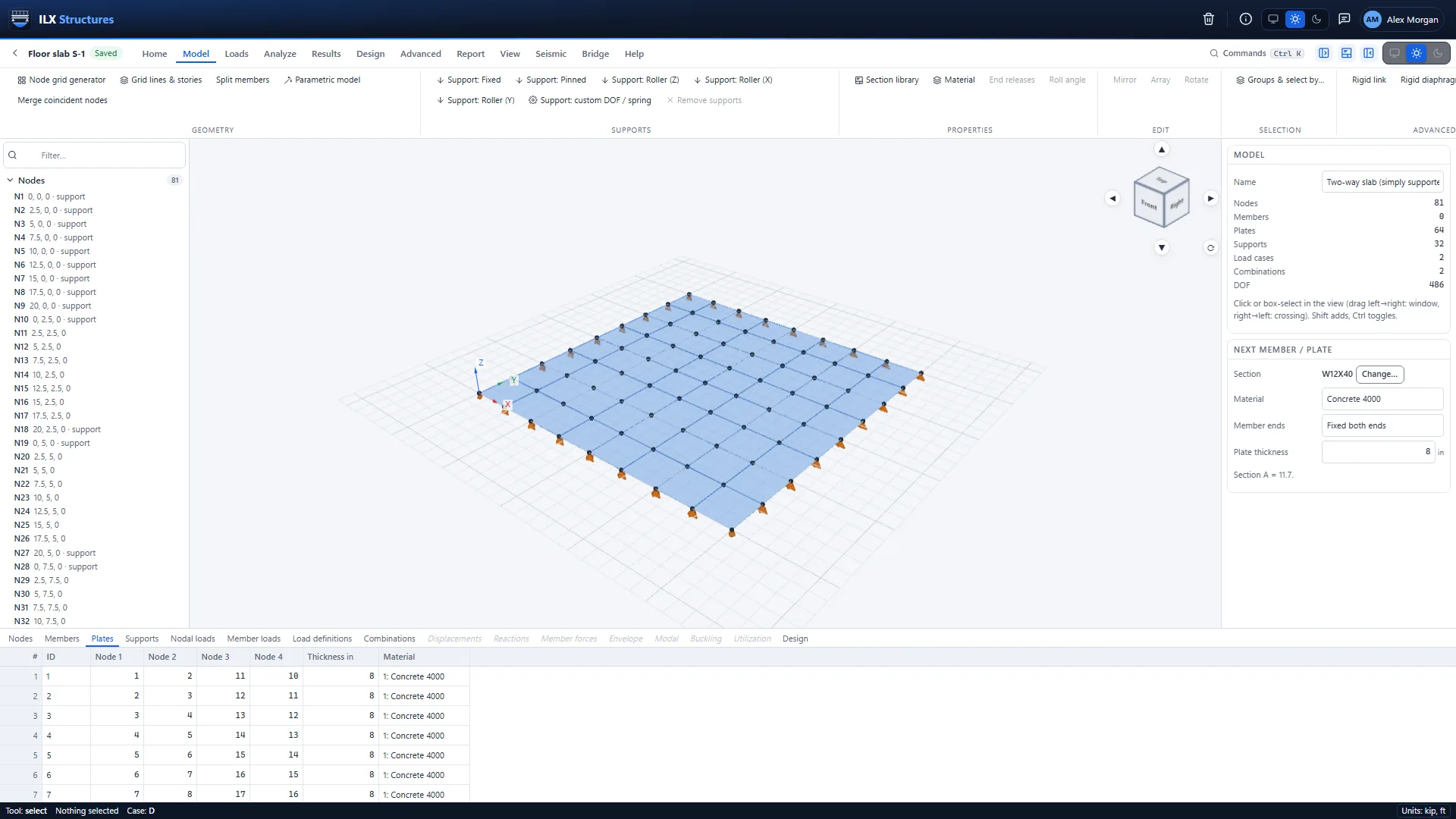
When beams and columns are not enough, the same model takes plates, shells and solids.
- Plates and shells. Slabs, walls and mats as plate and shell elements, with bending and membrane action, meshed for you.
- Solids. Three-dimensional solid elements for thick parts and local stress studies.
- Axisymmetric models. Tanks, pipes and round foundations modelled as a section that turns about an axis.
- Heat flow. Steady and transient temperatures, with standard fire curves, for thermal loads.
- Mesh import. Meshes from Gmsh, Abaqus and UNV files.
- Section cuts. Total forces across any cut through plates and members, for walls, slabs and diaphragms.
Static and stability
Static, second-order and buckling analysis
The everyday analyses, run on every load case and combination, with results you can trust.
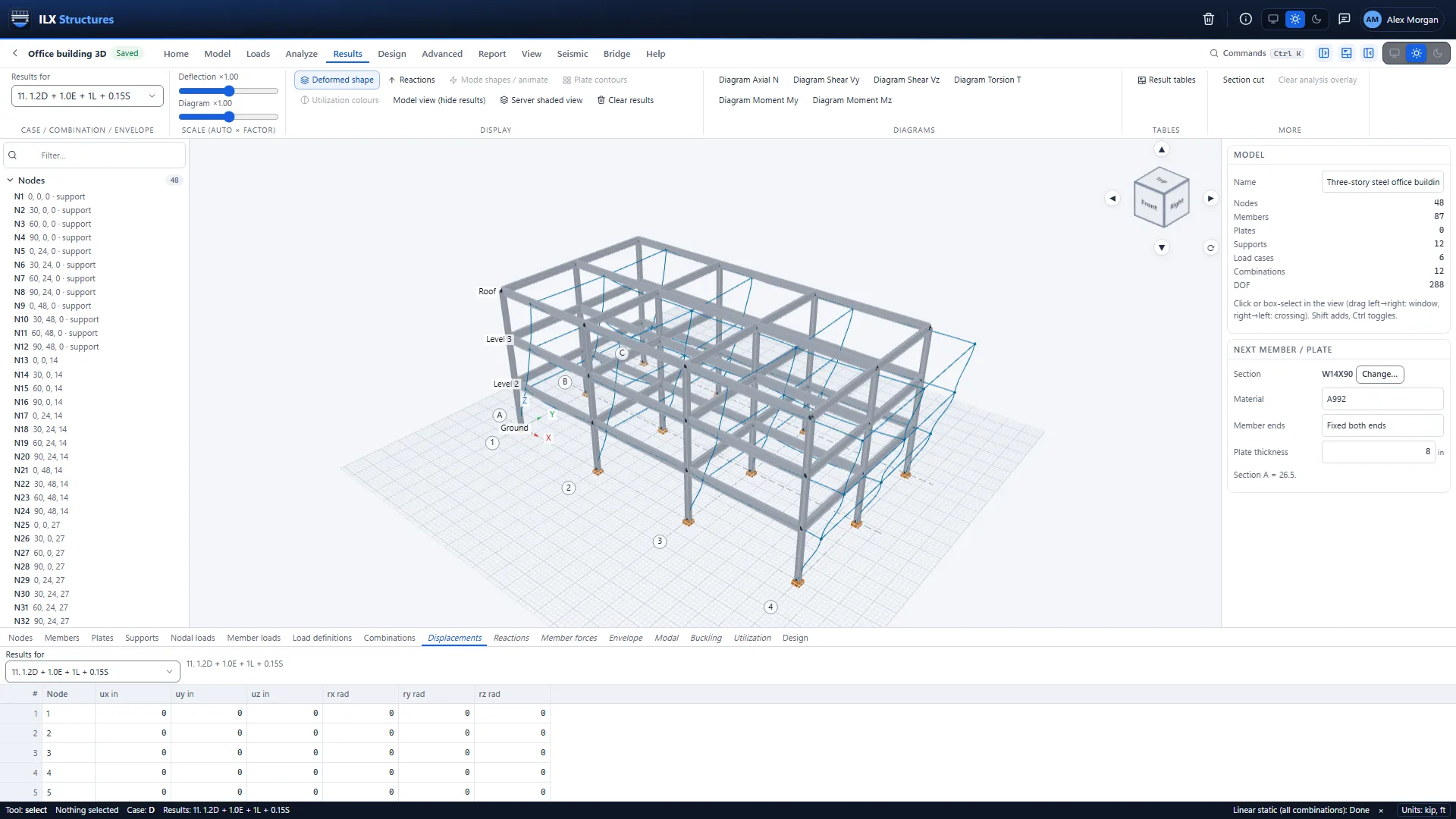
- Linear static. Deflections, reactions and member forces of every load case and combination, with envelopes.
- P-Delta. Second-order effects of gravity on a swaying structure, iterated to convergence.
- Linear buckling. Buckling load factors and mode shapes.
- Nonlinear buckling. Buckling with an initial imperfection, followed past the peak with the arc-length method.
- Direct analysis support. Second-order analysis with reduced stiffness and notional loads, as the AISC direct analysis method asks.
- Story drift and deflection checks. Story drifts and member deflections against your limits.
Dynamic and seismic
Modal, response spectrum and time history analysis
Dynamic analysis set up the way the code describes it, with the code's scaling applied for you.
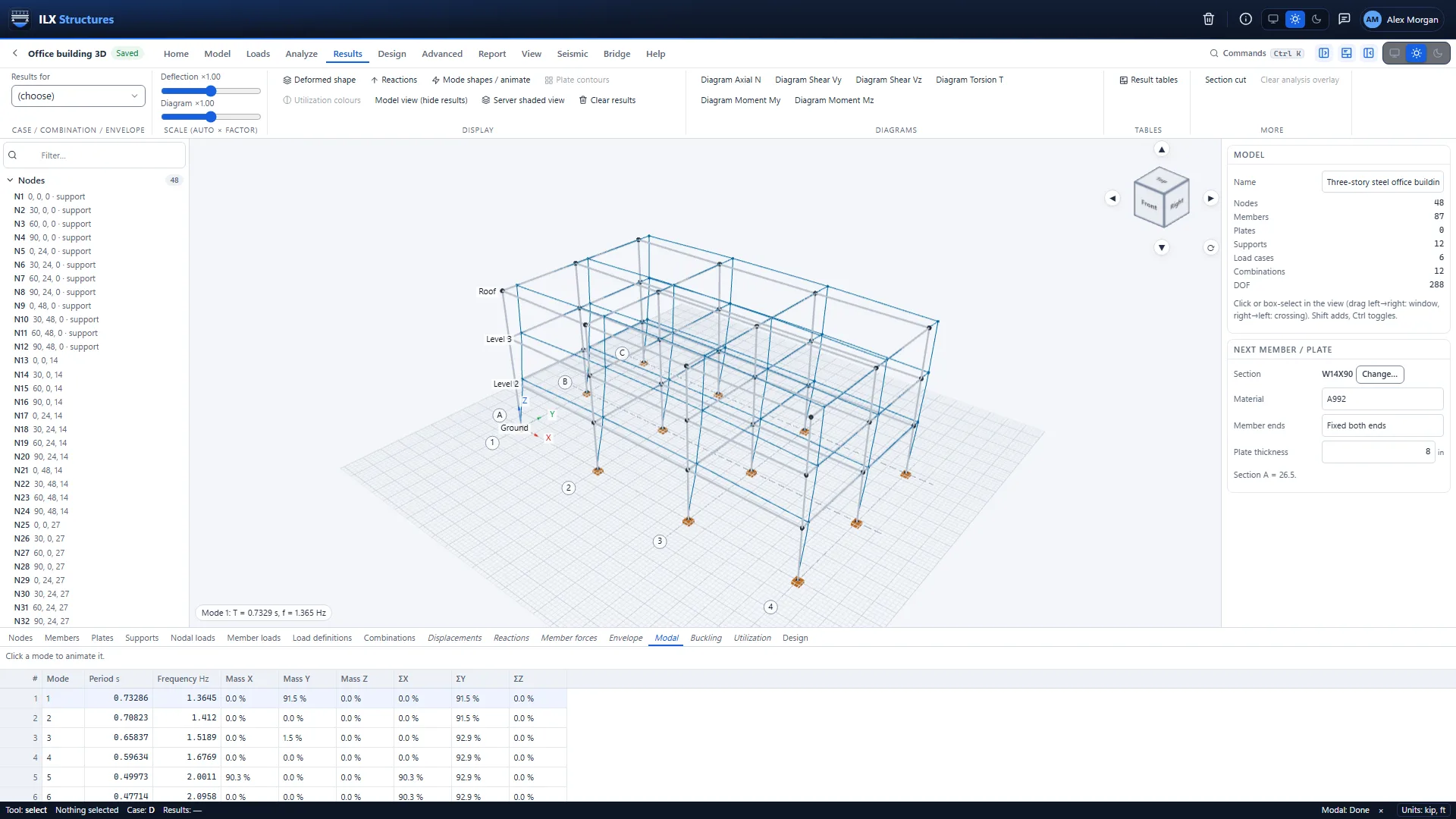
- Modal analysis. Periods, frequencies, mode shapes and mass participation.
- Response spectrum. ASCE 7-22 design spectra or your own, modes combined and scaled to the equivalent lateral force base shear as ASCE 7-22 Section 12.9.1 requires.
- Equivalent lateral force. Seismic forces by the ELF procedure, with the design values looked up from the site's location (USGS).
- Time history. Response to recorded or generated ground motions, step by step.
- Harmonic, transient and random vibration. Response to machines, impacts and random loads.
- Floor vibration. Walking vibration of floors as AISC Design Guide 11 describes it.
Nonlinear and specialty
Pushover, nonlinear and specialty analyses
The studies that used to need a separate program, in the same model.
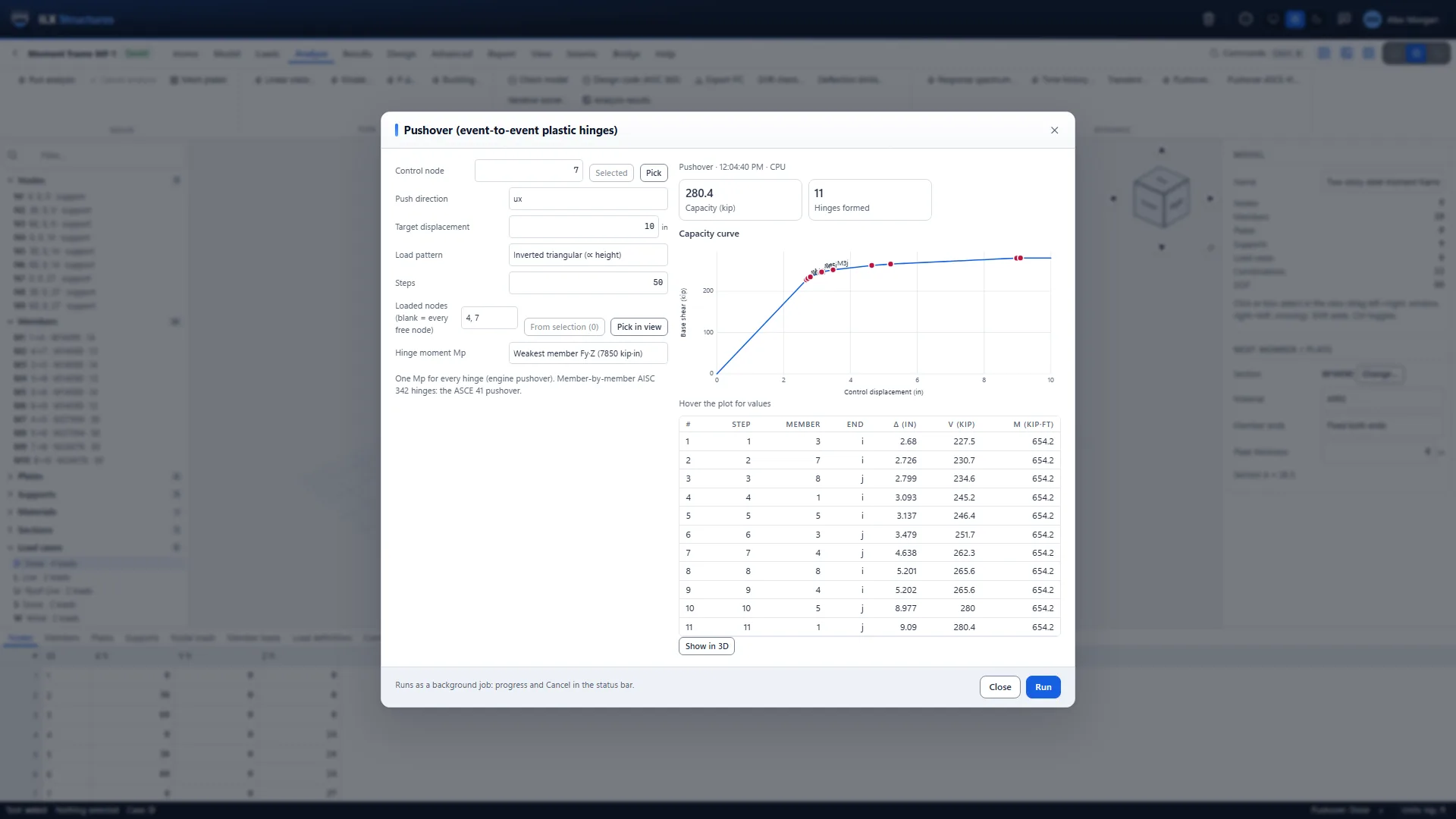
- Pushover. Nonlinear static pushover with plastic hinges per ASCE 41-23 and AISC 342-22, the capacity curve and the target displacement.
- Material nonlinear. Members that yield, with elastic-plastic and hardening material laws.
- Contact and gaps. Compression-only supports, gaps and uplift.
- Progressive collapse. Remove members one at a time and see which removals the structure can survive.
- Staged construction. Build the structure stage by stage, with the loads of each stage.
- Influence lines, fatigue and blast. Moving loads, fatigue damage from stress histories, and blast pressures.
Steel design
Steel design to AISC 360-16 and AISC 341-22
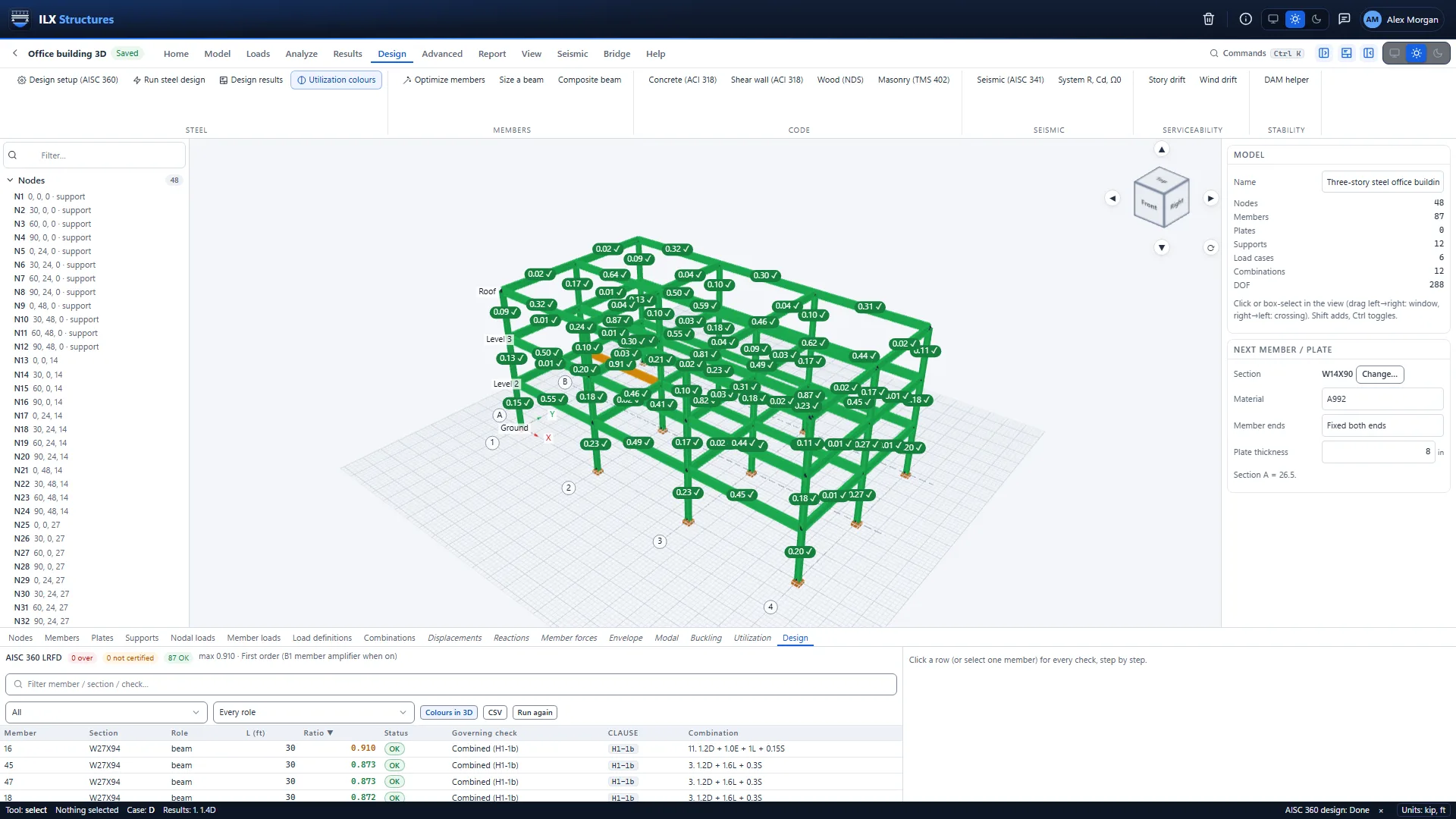
Every steel member checked for every combination, with the governing check and its clause.
- Members to AISC 360-16. Tension, compression, flexure, shear and combined forces, including slender-web plate girders (Chapter F5).
- Seismic frames to AISC 341-22. Special moment frames, special concentrically braced frames and eccentrically braced frames.
- Composite beams. Steel beams acting with the concrete slab.
- Stability. The direct analysis method with second-order analysis.
- Least-weight optimisation. The lightest section that works for each member or group, reviewed before it is applied.
- Drift. Seismic and wind drift checks.
Concrete, wood and masonry
Concrete, wood and masonry design
The other materials of a building, checked in the same model.
- Concrete to ACI 318-19. Beams, columns and shear walls.
- Wood to NDS 2018. Beams and columns, with the adjustment factors set for each member.
- Masonry to TMS 402-16. Walls under axial load and bending.
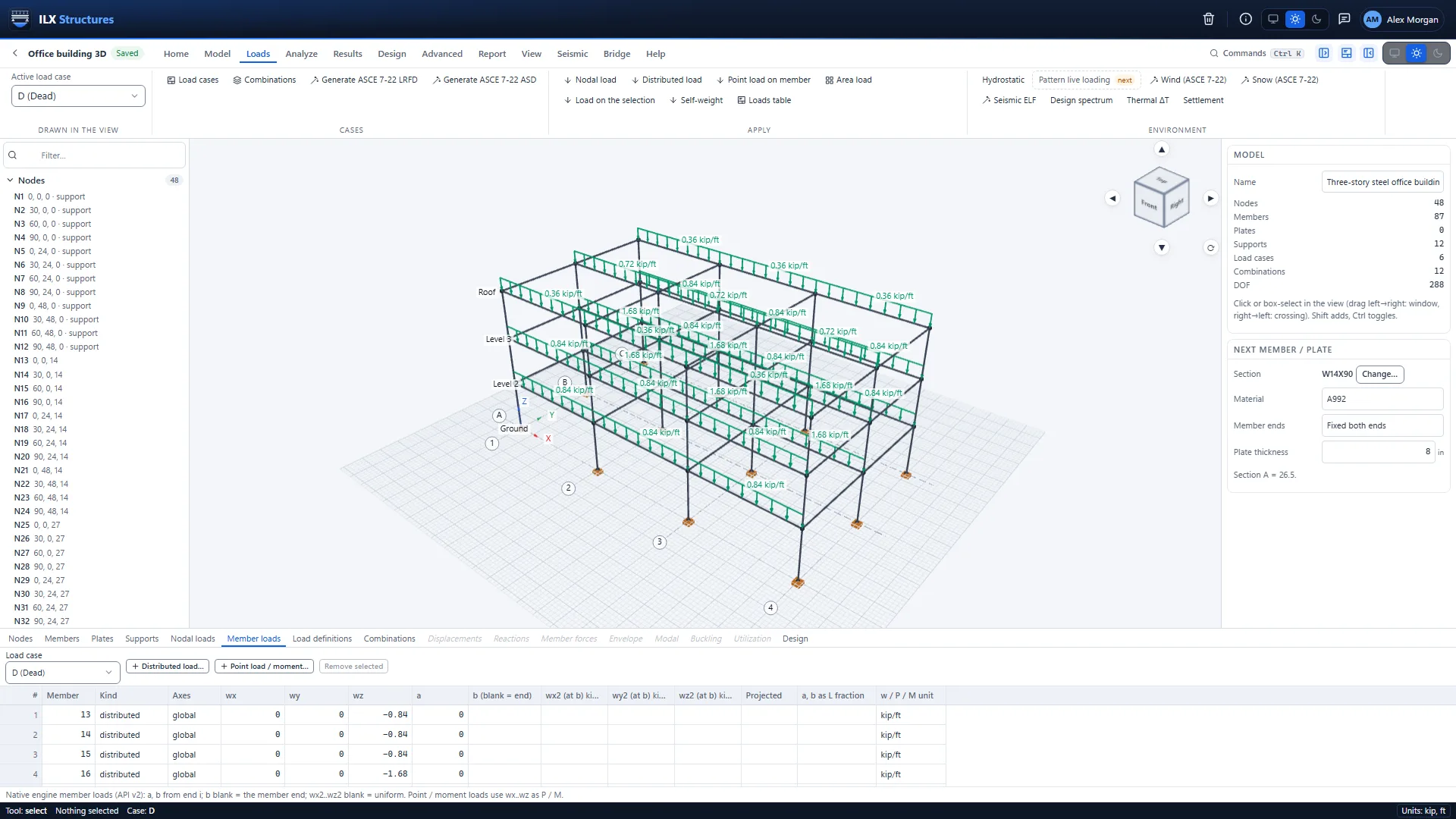
- One place for every check. Ratios, governing combinations and clauses in one table, color on the model.
Loads
ASCE 7-22 loads and combinations
Enter what you know about the building and the site; ILX Structures generates the loads.
- Load cases. Dead, live, roof live, snow, rain, wind, seismic and more, each with its kind.
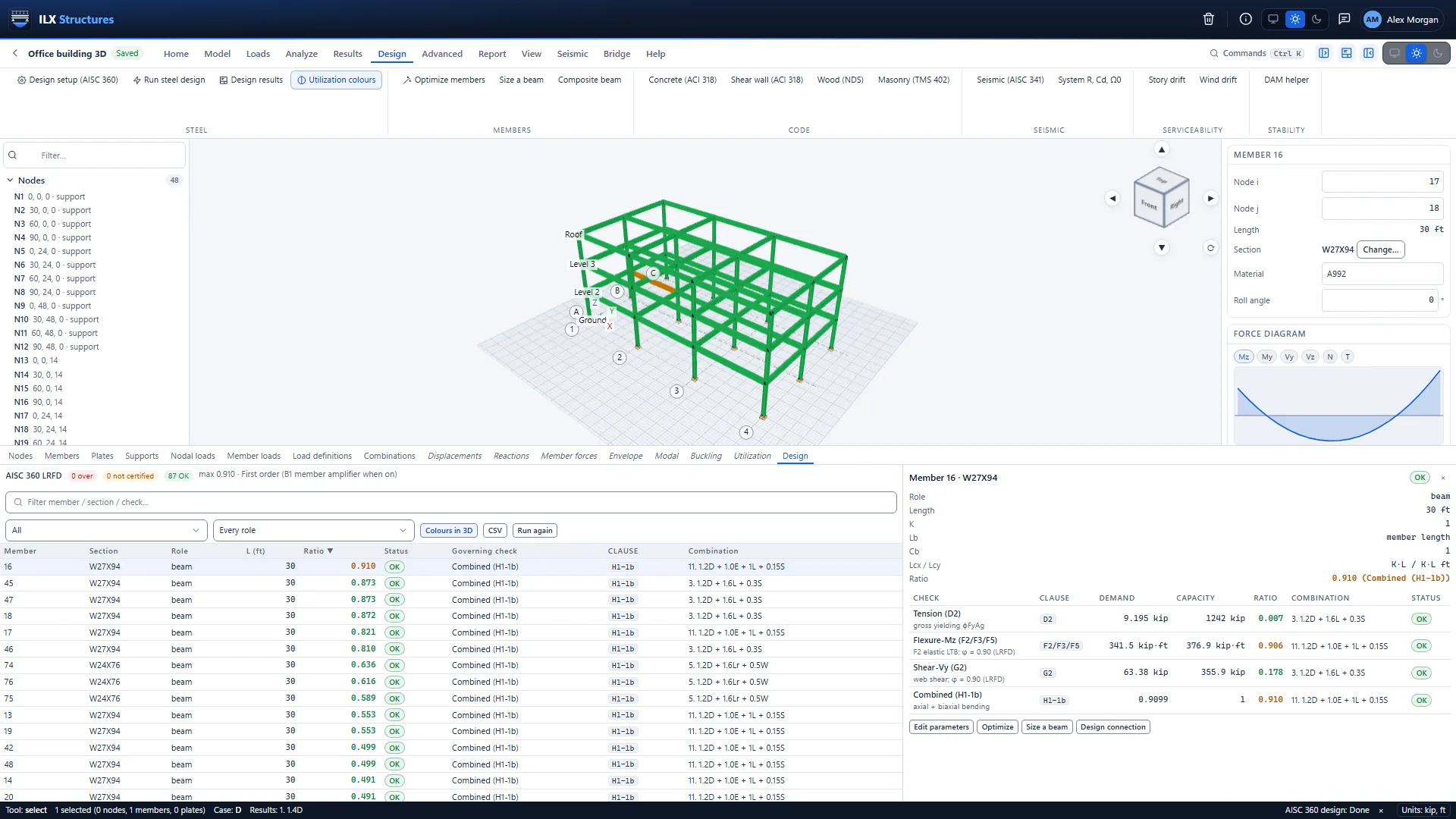
- Member, area and point loads. Uniform and varying loads on members, floor and roof pressures spread to the framing, and loads at nodes.
- Self-weight, temperature, settlement, prestress. Each a load of its own.
- Wind. ASCE 7-22 wind loads on the main wind force resisting system.
- Snow. ASCE 7-22 snow loads, including drifts.
- Seismic. ASCE 7-22 equivalent lateral force, with the design values from the site's location (USGS).
- Combinations. ASCE 7-22 LRFD and ASD combinations generated from your load cases, editable.
Import, export and hand-off
Works with the rest of your tools
Bring geometry in, send results out, and pass member forces on to the connection and detail design.
- Import. DXF, IFC, ETABS (.e2k), STEP and IGES geometry; Gmsh, Abaqus and UNV meshes.
- Export. The native .ilxs model, DXF, IFC, results tables (CSV) and PDF reports.
- Hand-off to ILX Connection. Send a member's end forces to ILX Connection to design the connection.
- Hand-off to ILX Calcs. Send member forces to ILX Calcs for a detailed member or element calculation.
Reports
Calculation reports you can hand over
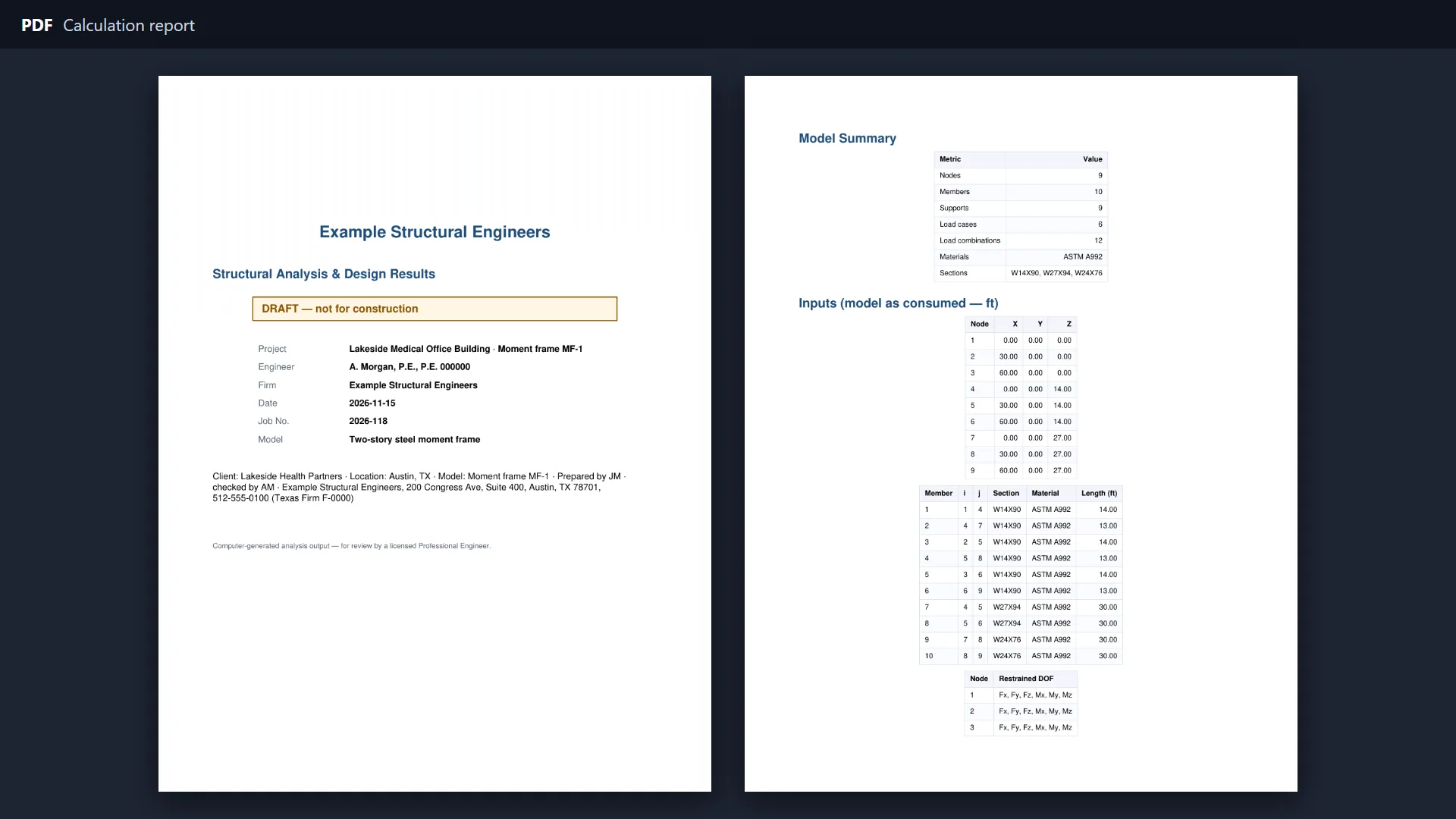
A clear PDF report of the model, the loads, the results and the design checks, with your title block.
- Model and loads. Geometry, sections, materials, supports, load cases and combinations, as entered.
- Results. Reactions, member forces and diagrams, deflections and drifts.
- Design. Every member with its governing ratio, combination and clause.
- Results tables. The same numbers as CSV, for your own spreadsheets.
- Your title block. Firm, project and engineer information, set once as your defaults and changed per project.
In the browser
Nothing to install
Sign in from any computer and pick up where you left off.
- Projects and versions. Projects keep your models; every save keeps a version you can go back to, and deleted items wait in the trash.
- Background jobs. Long analyses run on the server with progress and a Cancel button, while you keep working.
- GPU acceleration. Large models are solved on the server's graphics processor when that is faster.
- Units your way. US or SI units, set as your default and per project.
- Light and dark. A light and a dark theme.
- Support in the app. Send a question from the app; answered within 24 hours on business days.
Code coverage
Design codes and standards
The editions ILX Structures follows, and what it uses each one for.
| Code or standard | What ILX Structures uses it for | Area |
|---|---|---|
| ASCE 7-22 | Load combinations (LRFD and ASD), wind on the main wind force resisting system, snow with drifts, seismic equivalent lateral force, design spectra and response spectrum scaling (Section 12.9.1), drift | Loads |
| AISC 360-16 | Steel members: tension, compression, flexure (including slender-web girders, Chapter F5), shear, combined forces, composite beams, direct analysis method | Steel |
| AISC 341-22 | Seismic steel frames: special moment frames, special concentrically braced frames, eccentrically braced frames | Steel |
| ASCE 41-23 and AISC 342-22 | Plastic hinge rules and target displacement for pushover analysis | Analysis |
| AISC Design Guide 11 | Floor vibration due to walking | Analysis |
| ACI 318-19 | Concrete beams, columns and shear walls | Concrete |
| NDS 2018 | Wood beams and columns | Wood |
| TMS 402-16 | Masonry walls | Masonry |
| AISC shapes database | The full database of AISC steel shapes, for sections and optimisation | Sections |
ILX Studio, LLC is not affiliated with or endorsed by AISC, ACI, AWC, TMS, ASCE or any other code organization.
Analyses
Every analysis, in the same model
Heavy runs go to the server as background jobs with progress and a Cancel button; large models solve on the GPU.
| Analysis | Used for |
|---|---|
| Linear static | Everyday gravity and lateral analysis of every case and combination |
| P-Delta | Second-order effects of a swaying structure |
| Linear and nonlinear buckling | Stability of frames and members, with imperfections |
| Modal | Periods, mode shapes and mass participation |
| Response spectrum | Seismic design to ASCE 7-22, scaled to the equivalent lateral force base shear |
| Time history | Response to ground motion records |
| Pushover | Seismic evaluation and capacity, with ASCE 41-23 / AISC 342-22 hinges |
| Arc-length | Following a structure past its peak load |
| Material nonlinear | Yielding members |
| Contact and gaps | Uplift, compression-only supports and gaps |
| Progressive collapse | Alternate load paths after a member is lost |
| Staged construction | Structures built and loaded in stages |
| Harmonic, transient and random vibration | Machines, impacts and random loads |
| Influence lines | Moving loads |
| Floor vibration | Walking vibration (AISC Design Guide 11) |
| Fatigue | Damage from stress histories |
| Blast | Blast pressures |
| Section cuts | Total forces across walls, slabs and diaphragms |
| Heat flow | Steady and transient temperatures for thermal loads |
File formats
Import and export
| Format | Import | Export |
|---|---|---|
| ILX Structures model (.ilxs) | Yes | Yes |
| DXF (AutoCAD) | Yes | Yes |
| IFC (BIM) | Yes | Yes |
| ETABS text file (.e2k) | Yes | |
| STEP and IGES | Yes | |
| Gmsh, Abaqus and UNV meshes | Yes | |
| Results tables (CSV) | Yes | |
| Calculation report (PDF) | Yes |
Member forces go straight to ILX Connection and ILX Calcs.